Xiaomaifang:
plan your climbing frame
here first
Open and build. Change a ready-made model, or start from one tube.
New here? Xiaomaifang in 3 minutes
Open and build. Change a ready-made model, or start from one tube.
New here? Xiaomaifang in 3 minutes

Six stops, and each one is a page already on the site. Follow the dotted line down and jump straight into whichever stop you need. There is no need to go in order.

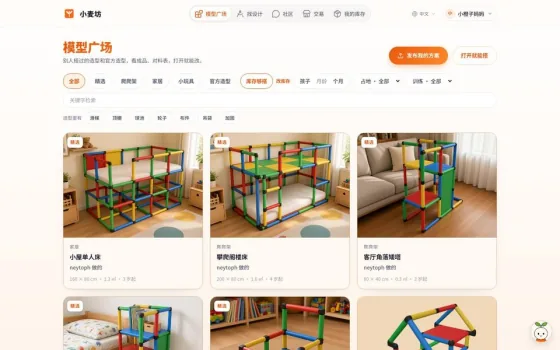
The plaza has climbing frames built by parents and certified designers, and you can filter them by how kids play on them and how much floor they take. Open any one to turn it around in 3D, or copy it and change it your way.

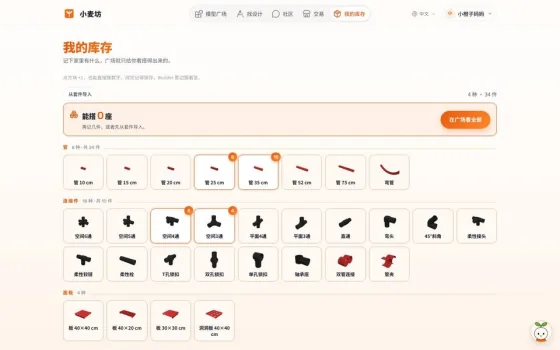
Tap each part to set how many you have. From then on, the shopping suggestions for any design subtract what you already own and list only what is missing.


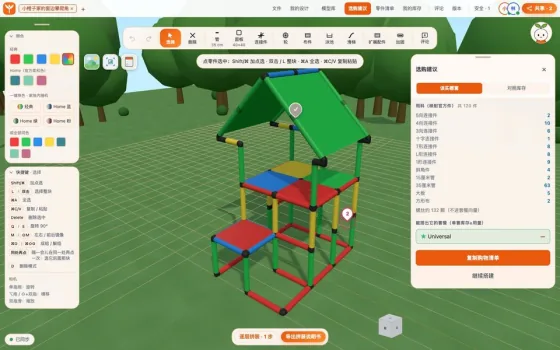
Nothing to install. Start from a ready-made model or from a single tube. The parts list changes with every tube you add, and the shopping suggestions work out which official kits are the best buy.

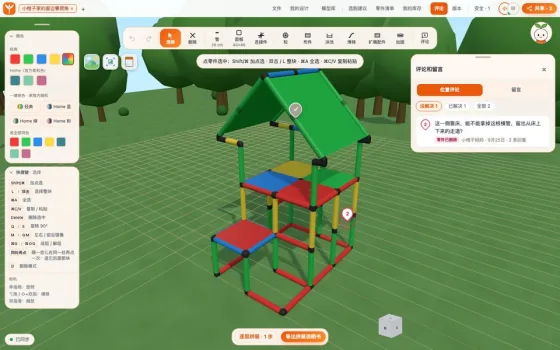
Post a request with your room size and your child's age. Send it to a certified designer, or put it on the request board and let designers apply. You both comment right on the parts of the same frame, and every new version can be compared side by side.

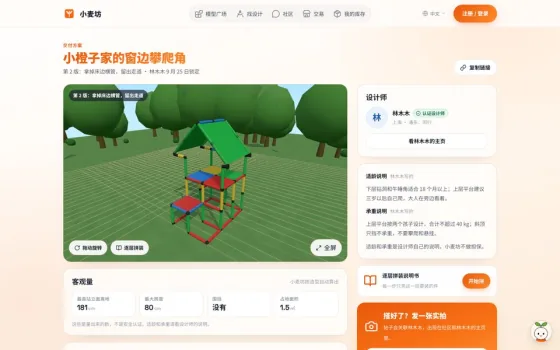
The delivery page has a 3D view, the parts list and a layer-by-layer assembly manual, where each step highlights only the parts for that layer. Send the link to your family: it opens without an account, so you can flip through it on your phone while you build.

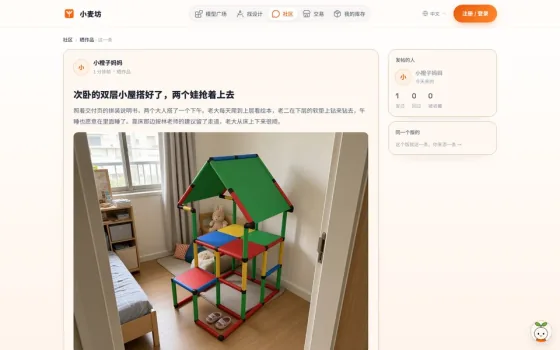
Your photo shows up on the matching design and on the designer's profile, so parents who come later can see how it really turned out. If you get stuck while building, you can ask in the community too.
The Getting started guide has three routes, depending on who you are. Every step has a real screenshot and a button to try it right away.
New designs, extra parts and hands-on tips. Share what you build at home.

Xiaomaifang is a tool site I built alone, starting from the climbing frame at home. I wanted another shape for the kids, looked at the software on offer, and every option wanted a desktop install, so I wrote this. It builds in the browser, counts parts, prints assembly steps, and the file still opens in the factory app.
If something feels wrong, say so in the feedback box. I read it every day.
Write whatever is on your mind: a stuck step, a missing feature, a detail that should change. A screenshot or clip helps.